
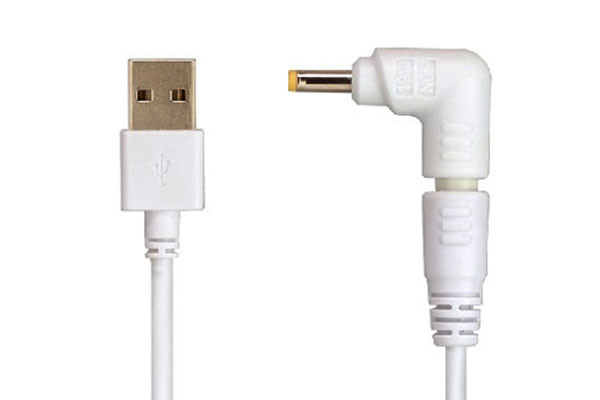
Laptop Charger Accessories Pack B
$ 10.30
(for charge laptop/notebook, only works with Oxhorn NB-PD40, NB-PD87 , NB-PD87 & NB-PD150D) Package content: 1 x Laptop Connection Cable 6 x Laptop DC Connectors DC Connectors details: N04: 4.8*1.7*10.7 mm (for HP/COMPAQ:18.5V/2.7A,18.5V/3.5A,18.5V/3.8A,18.5V/4.9A; DELTA:19V/2.64A,19V6.3A; ASUS:19V/2.64A;NEC:19V/2.64A) N05: 4.0×1.7×10.7 mm (for HP:19V 1.58A , Lenovo: 20V 2.25A) N11: 5.5*1.7*10.7 mm (for TOSHIBA: 19V/3.95A; ACER: 19V1.58A,19V3.16A,19V/3.42A; LITEON: 19V3.42A, DELTA: 20V/3.5A) N33: 3.0*1.0*8 mm (for Samsung Ultrabook; Asus etc.) N40: 4.0*1.35*11 mm (for Asus: 19V 2.37A, 19V 3.42A) N42: 4.5*3.0*11 mm (for Dell: 19.5V2.31A, 19.5V 3.33A) (Caution: this Accessories Pack only works with Oxhorn NB-PD40 , NB-PD87 , NB-PD87 and NB-PD150D. Do not use it in any other devices or chargers, it may damage your laptop or device. ) How to use this Charger Accessories Pack together with Oxhorn Type C & QC 3.0 Laptop Charger to charge your Laptop Choose the right DC connector for your laptop/notebook. Connect the DC connector into the Laptop DC connection cable (as picture A). Plug the USB A of the Laptop DC connection cable into any USB port of the charger (as picture B). Connect the charger to the main power, and then you are ready to go.
